 CampusDraft
Choose a student ID card or campus document template
A practical guide to all 13 student ID card and campus document layouts: compare cards, certificates, and letters, then review required fields, privacy handling, and responsible-use boundaries.
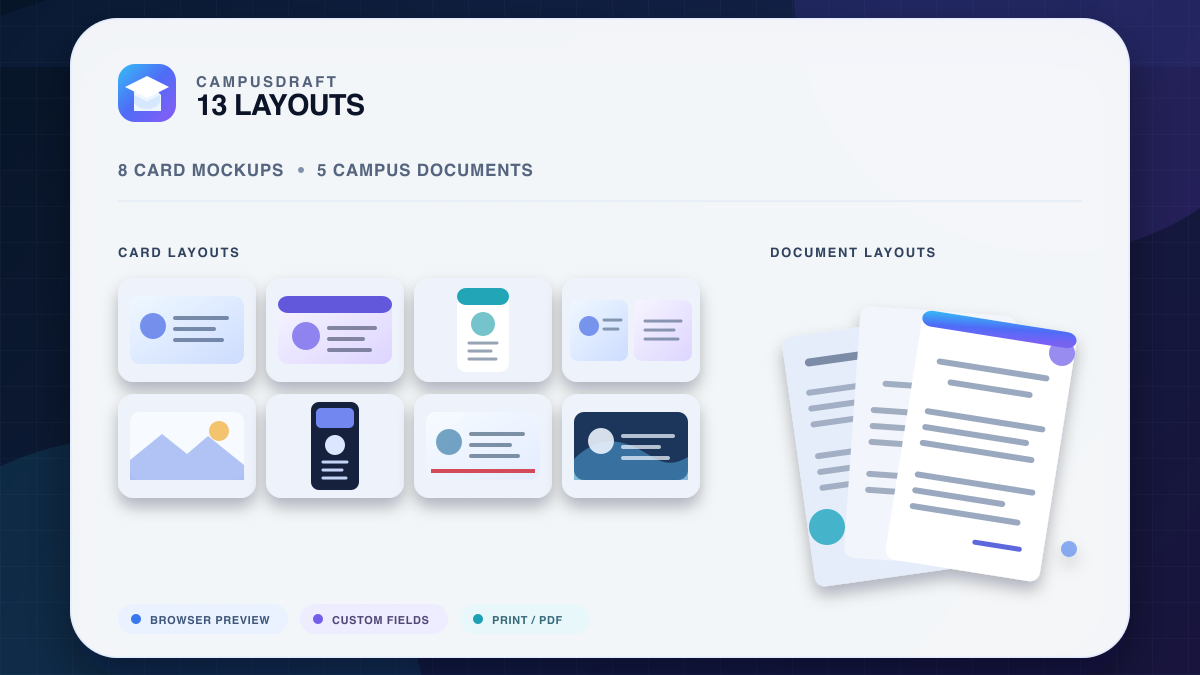
Choose between a student ID card, certificate, or letter
The 13 student ID generator layouts fall into two practical groups. Certificates and letters use full-page compositions; student ID and international-style card layouts are better suited to props, interface mockups, and visual-design practice.
| Template group | Included layouts | Useful for | Required details |
|---|---|---|---|
| Certificates, records, and letters | Certificate of Enrollment, Enrollment Verification Letter, Academic Enrollment Record, Employment Verification, University Offer Letter | Film or stage letter props, teaching demos, layout practice | Name, ID, institution, address, and contact number |
| Card layouts | Major, horizontal, double-sided, employee, desk scene, vertical, Chinese, and background layouts | Scene props, product mockups, graphic-design practice | Name, ID, and institution required; address and phone optional |
Compare all 13 student ID and campus document templates
Compare every live layout by output type, photo support, required fields, and practical use, then open the matching template directly. Every result is intended for props or design practice—not official use.
These brand-neutral illustrations are derived from the current template structures to compare orientation and composition. They are not user-generated results or official ID samples.

Certificate of Enrollment
Formal header and certificate typography practice
Layout anatomy: A landscape cream certificate uses navy-and-gold double borders, with a centered heading and the signature, date, gold seal, and QR area grouped along the bottom.

Enrollment Verification Letter
Sidebar-based institution details and verification copy
Layout anatomy: A dark left sidebar holds institution and contact details while the white body uses a teal status accent, signature, and QR area to structure the verification letter.

Academic Enrollment Record
Grouped information and record-style composition
Layout anatomy: The portrait record page uses a centered crest, blue rules, and three body-copy groups, then closes with registrar contact details and a pale-blue seal.

Student ID Card with Major
Profile cards with an automatically assigned major
Layout anatomy: This white landscape card has an angled blue header, a rectangular portrait and silver chip on the left, and name, major, ID, expiry, and barcode fields on the right.

Horizontal Student ID Card
Compact hierarchy and horizontal layout practice
Layout anatomy: A blue left panel contains the round portrait and chip; the white right panel carries the institution, name, and core fields above a full-width barcode.

Double-Sided Campus Card
Front-and-back information hierarchy practice
Layout anatomy: One preview shows both sides: the front prioritizes portrait, major, and expiry, while the back contains a magnetic stripe, signature strip, and instructions.

Employee ID Card
Staff-badge interface or prop prototypes
Layout anatomy: The portrait badge combines a lanyard slot and charcoal header with a round photo crossing into the white body, followed by role, department, ID, and barcode.

Employment Verification
Institutional letter composition for fictional scenes
Layout anatomy: A blue gradient letterhead establishes the hierarchy, an employee-information box breaks up the body copy, and signature and QR areas finish the page.

Student ID Card on Desk
Storyboards, presentations, and desk-scene previews
Layout anatomy: A translucent landscape card sits at a slight angle in an original desk scene, with a navy portrait-and-chip rail on the left and details plus barcode on the right.

Vertical Student ID Card
Photo-led vertical information hierarchy
Layout anatomy: The cream portrait card combines a curved navy header with bronze accents, then stacks the portrait, hologram, gold chip, department details, and barcode.

Chinese Student ID Card
Chinese labels, typography, and field layout practice
Layout anatomy: This cream landscape card uses a navy-and-gold header, portrait on the left, Chinese field grid on the right, a red expiry cue, and a bottom barcode.

Campus Card with Background
Atmospheric presentation and prop previews
Layout anatomy: An original campus-building scene fills roughly the upper two thirds; the portrait overlaps the lower white information band beside name, role, ID, and expiry.

University Offer Letter
Letter props for fictional stories, stage, or film
Layout anatomy: The portrait letter opens with a white circular-crest header and gold rule, followed by an offer-details box, next steps, signature, and crimson-and-gold seal.
| Template | Format | Photo | Details to enter | Useful for | Open |
|---|---|---|---|---|---|
| Certificate of Enrollment | Full-page certificate | No photo | Name, ID, institution, address, phone | Formal header and certificate typography practice | Open the certificate of enrollment → |
| Enrollment Verification Letter | Full-page verification letter | No photo | Name, ID, institution, address, phone | Sidebar-based institution details and verification copy | Open the enrollment verification letter → |
| Academic Enrollment Record | Full-page record | No photo | Name, ID, institution, address, phone | Grouped information and record-style composition | Open the academic record layout → |
| Student ID Card with Major | Student card | Synthetic or custom photo | Name, ID, institution; logo and photo source | Profile cards with an automatically assigned major | Open the major-field student card → |
| Horizontal Student ID Card | Landscape card | Synthetic or custom photo | Name, ID, institution; logo and photo source | Compact hierarchy and horizontal layout practice | Customize a horizontal card mockup → |
| Double-Sided Campus Card | Two-sided card | Synthetic or custom photo | Name, ID, institution; logo and photo source | Front-and-back information hierarchy practice | Open the double-sided campus card → |
| Employee ID Card | Vertical badge | Synthetic or custom photo | Name, ID, institution; logo and photo source | Staff-badge interface or prop prototypes | Open the employee card layout → |
| Employment Verification | Full-page letter | No photo | Name, ID, institution, address, phone | Institutional letter composition for fictional scenes | Open employment verification → |
| Student ID Card on Desk | Scene mockup | Synthetic or custom photo | Name, ID, institution; logo and photo source | Storyboards, presentations, and desk-scene previews | Open the desk-scene card → |
| Vertical Student ID Card | Portrait card | Synthetic or custom photo | Name, ID, institution; logo and photo source | Photo-led vertical information hierarchy | Customize a vertical card mockup → |
| Chinese Student ID Card | Chinese-language card | Synthetic or custom photo | Name, ID, institution; logo and photo source | Chinese labels, typography, and field layout practice | Open the Chinese-language card → |
| Campus Card with Background | Scene mockup | Synthetic or custom photo | Name, ID, institution; logo and photo source | Atmospheric presentation and prop previews | Open the background card mockup → |
| University Offer Letter | Full-page letter | No photo | Name, ID, institution, address, phone | Letter props for fictional stories, stage, or film | Open the offer-letter template → |
Student ID generator, student card maker, or template guide?
“Student card generator,” “student ID creator,” and “student ID generator” usually describe the same form-based mockup workflow. An international student ID search or a template guide points to a different task. CampusDraft keeps every design mockup distinct from a real or official credential.
Student ID generator or card maker
Use the form as a browser-based student ID creator: enter the fields and produce a student-card-style mockup for props, interface prototypes, and layout practice.
International student ID generator
This site offers international-style layouts only. It does not issue ISIC cards or verify student status.
Student ID template guide
Compare all 13 layouts, required details, photo sources, preview workflow, and output limits before creating.
Student ID and international-style card layouts
The student ID template group includes horizontal, vertical, double-sided, Chinese-language, and contextual background layouts. Create a custom student ID card mockup by changing the name, ID, institution, logo, and photo; each layout differs in photo proportions, information density, and presentation. Every result is a mockup or prop—not official identification.
Compact cards
Horizontal and vertical templates are useful for practicing information hierarchy, photo cropping, logo placement, and short-form typography.
Double-sided and major fields
Double-sided layouts provide more information space, while the major-field version works well in course demos or interface prototypes.
Contextual presentations
Desk and background templates place the card in a visual scene for storyboards, presentations, and prop previews.
How to customize a student ID card mockup
Choose a horizontal, vertical, or double-sided layout, then edit the name, ID number, and institution. Add an original logo you own or have permission to use, and select either a synthetic portrait or an HTTPS photo URL. Preview the result before printing or saving as PDF.
1. Choose the format
Landscape cards are compact, portrait cards emphasize the photo, and two-sided layouts split information across a front and back.
2. Use original details
Prefer a fictional institution, an original logo, and details that do not identify a real person so the result cannot be mistaken for a genuine document.
3. Check the output
Review image cropping, type, and fields in the preview, then print or save as PDF; the result remains a design mockup or prop.
Enrollment certificates, academic records, and employment verification
These templates use full-page layouts for practicing hierarchy between letterheads, body copy, contact information, and signature areas. An institution address and contact number are required before generation.
- Certificate of Enrollment and Enrollment Verification Letter: classic certificate and sidebar verification layouts for comparing two formal information hierarchies.
- Academic Enrollment Record: a paragraph-based record layout for demonstrating grouped information, dates, and signature hierarchy.
- Employment Verification: an institutional letter format for fictional stories or training demonstrations.
University offer-letter template
The offer-letter layout uses a longer letter structure with institution details, recipient content, and next-step sections. It is intended for fictional stories, stage productions, or film projects and does not represent a real admission decision.
From template choice to browser preview
- 1
Choose a layout
Start with a card, certificate, record, or letter, then compare the visual styles in that group.
- 2
Enter the fields
Cards need only the core details; full-page templates also require an address and contact number.
- 3
Preview and save
The result opens in a browser preview where you can return to edit, print, or save as PDF.
Student ID card size, CR80 pixels, and printing
A common wallet-size student ID uses the CR80 (ISO ID-1) format: 85.60 × 53.98 mm. Whole-card dimensions are different from an institution's portrait-upload requirements; landscape and portrait only exchange orientation, while pixel dimensions depend on PPI, bleed per edge, and safe margin.
The complete size page provides a browser-local CR80 pixel calculator, a 96–600 PPI table, bleed and safe-area guidance, and the true limits of browser printing and Save as PDF.
How submitted data is handled
Form details are processed ephemerally by a stateless service and discarded after the document is returned; they are not written to this site's database. Synthetic portraits and custom images are requested by your browser from their respective third-party URLs, so those services may receive ordinary connection information.
External resources can affect previews
Remote image services may block loading, and fonts, images, or print scaling can vary between browsers. Check the complete preview before saving a PDF.
Use generated content responsibly
Every layout is for entertainment, design practice, educational demonstrations, or theatrical props—not official identification or institutional records. Never use generated content for impersonation, fraud, discounts, school or job applications, or any other unlawful purpose.